How To Draw a Robotic Hand?
Here are the steps.
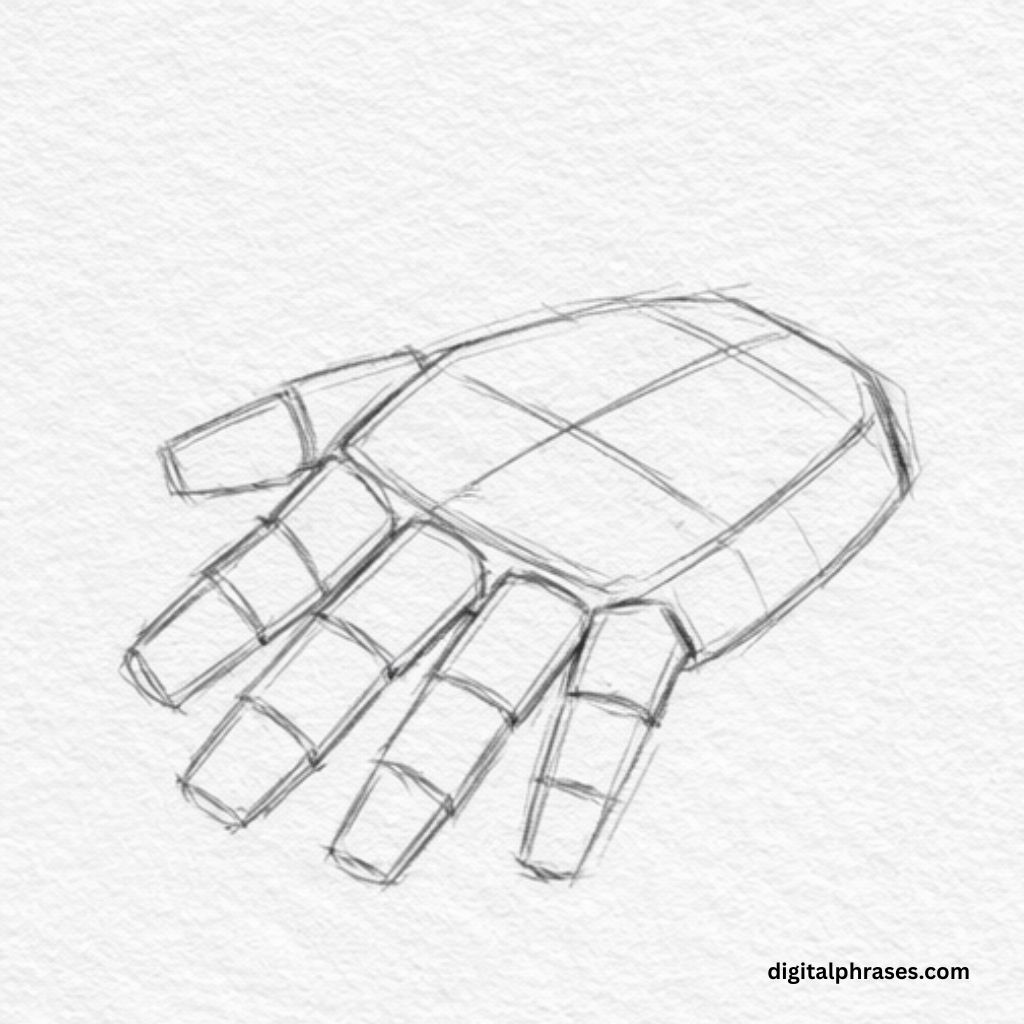
Step 1 – Block in the Mechanical Palm and Finger Placement
- Begin by sketching a flat, angular palm shape, using straight lines and sharp corners instead of soft curves to establish a mechanical feel.
- Divide the palm into simple panels with light internal lines, suggesting separate metal plates.
- From the front edge of the palm, draw five rectangular finger bases, evenly spaced and slightly angled outward.
- Keep each finger base short and boxy, focusing on alignment rather than detail.
- Add a subtle taper toward the wrist area to suggest perspective and depth.
- Lightly indicate the thumb base on the side, angled outward and slightly lower than the other fingers.
- Use very light strokes so proportions can be adjusted easily—this step is all about structure and layout, not refinement.
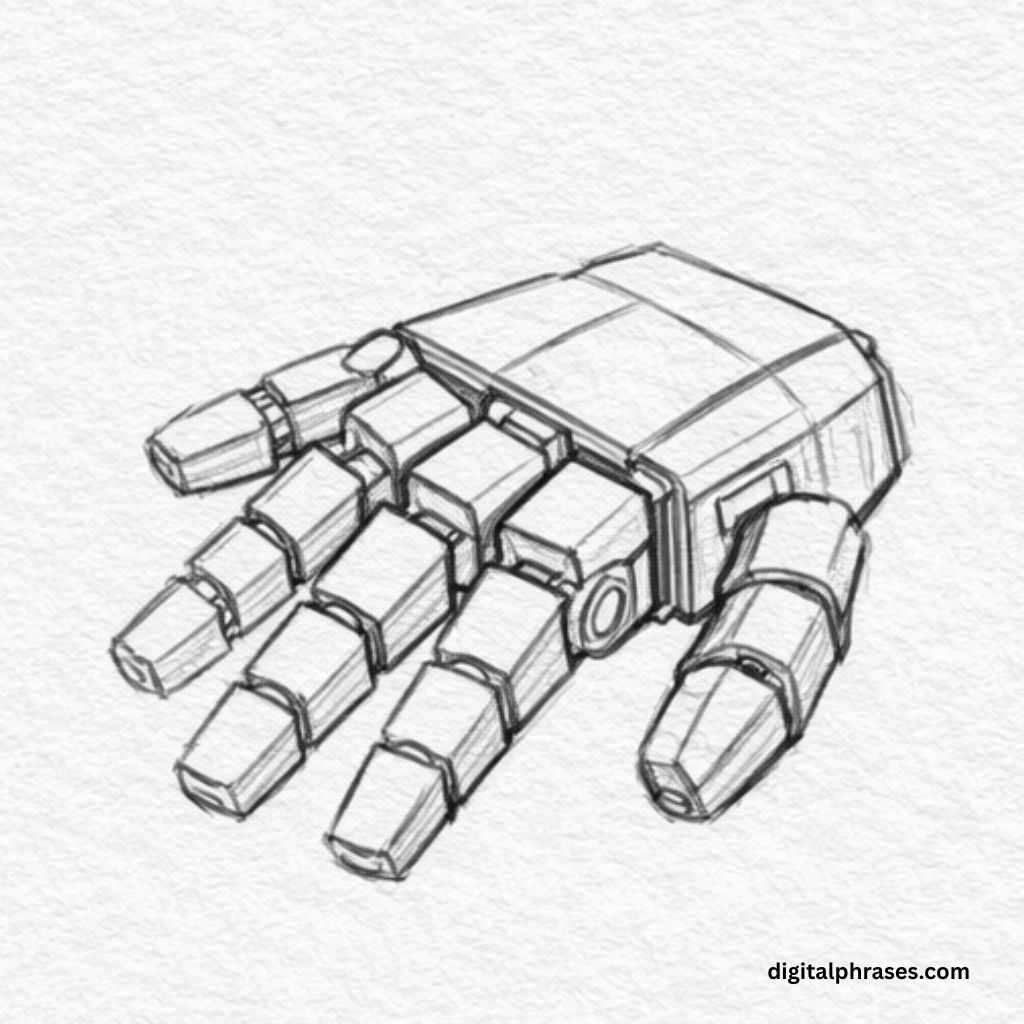
Step 2 – Construct the Finger Segments and Joint Blocks
- Extend each finger by adding multiple rectangular segments, stacked end to end to form robotic joints.
- Make each segment slightly smaller toward the fingertip to create a believable mechanical taper.
- Add clear breaks between segments to show joint articulation, keeping edges crisp and geometric.
- Build the thumb separately with thicker segments and a stronger angle to show its different range of motion.
- Begin refining the palm by adding raised sections and side panels where joints and connectors would logically exist.
- Introduce small cylindrical or circular shapes at joint intersections to suggest rotational mechanisms or bolts.
- Keep everything consistent in perspective, ensuring all segments align toward the same vanishing direction.
Step 3 – Add Mechanical Details and Refine the Structure
- Sharpen all outer edges of the hand, reinforcing the hard-surface look of metal components.
- Add layered armor plates on the back of the hand, overlapping slightly to suggest protection and flexibility.
- Draw visible hinges, screws, and circular joints near finger bases and along the thumb connection.
- Refine fingertip shapes into angular caps, giving them a sturdy, tool-like appearance.
- Clarify separations between plates by darkening panel lines and adding small gaps between components.
- Adjust proportions where needed so no finger looks too thick, thin, or misaligned.
- Lightly erase construction lines while keeping all mechanical details clean and readable.
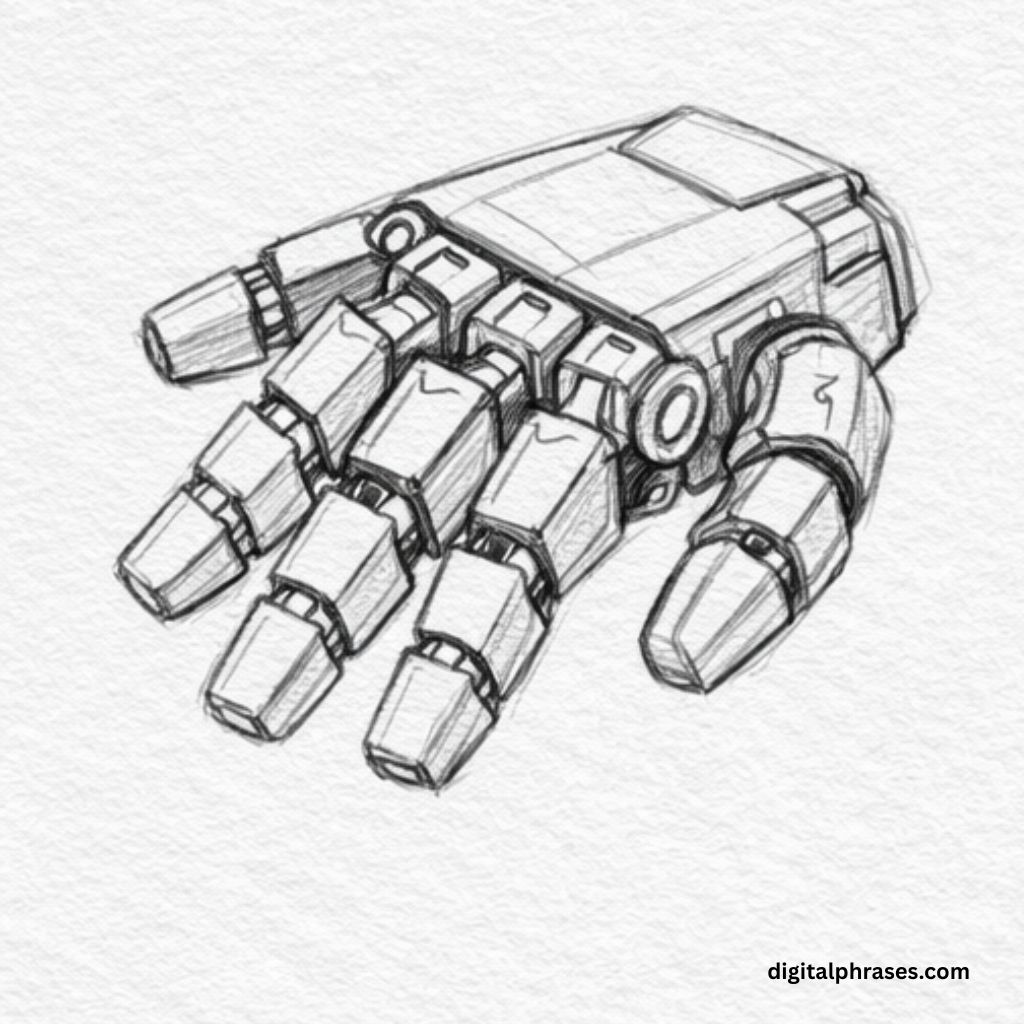
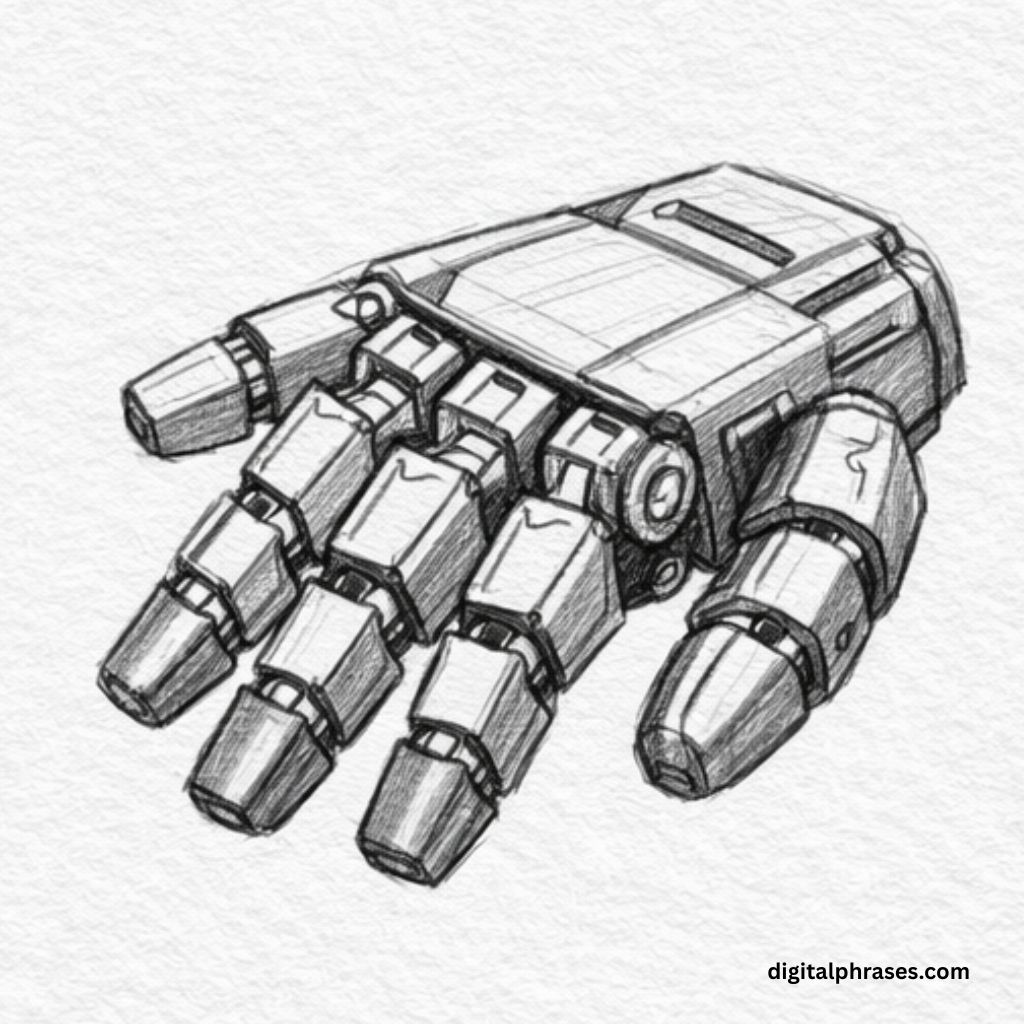
Step 4 – Shade, Add Depth, and Finish the Robotic Look
- Decide on a light source and begin shading the underside of fingers and recessed areas darker.
- Use controlled cross-hatching and layered shading to emphasize depth between overlapping plates.
- Darken joints, seams, and gaps to create contrast and make individual components stand out.
- Add subtle highlights on flat metal surfaces by leaving areas lighter, enhancing the metallic feel.
- Shade the palm plates unevenly to suggest different angles catching the light.
- Strengthen the silhouette by slightly thickening the outermost edges of the hand.
- Finish by cleaning stray lines and balancing contrast so the robotic hand looks solid, functional, and fully assembled.